
Dear visitor, thank you for contacting our company. Due to the fact that Opensystem West has a global network of representatives in many countries and prices may vary from region to region, we require the following information from you: Name, product name, mail, phone number, billing address and shipping address… After receiving this information, you will be contacted by our official representative. If we do not have a dealer in your country, we will contact you directly with all the information you require. Dealers>>>
To buy benches, testers and devices for diagnostics, repair of injectors and diesel fuel systems of Opensystem-West company, as well as to get information about payment and delivery methods you can follow the link to the page ‘Payment and Delivery’ or write to us in WhatsApp.
In Germany, the statutory warranty period for new electronic devices is two years from the date of purchase. This period applies to both private and commercial buyers. However, our commitment to customer satisfaction extends beyond this period. We are always ready to provide assistance and advice on resolving any defects that may arise after the warranty has expired. If an on-site repair is not feasible, we will collaborate with the customer to find the best possible solution for all parties involved.
Normally, a notification about a new version will appear automatically.
If you want to be sure and check manually, you can check for new versions directly in the software.
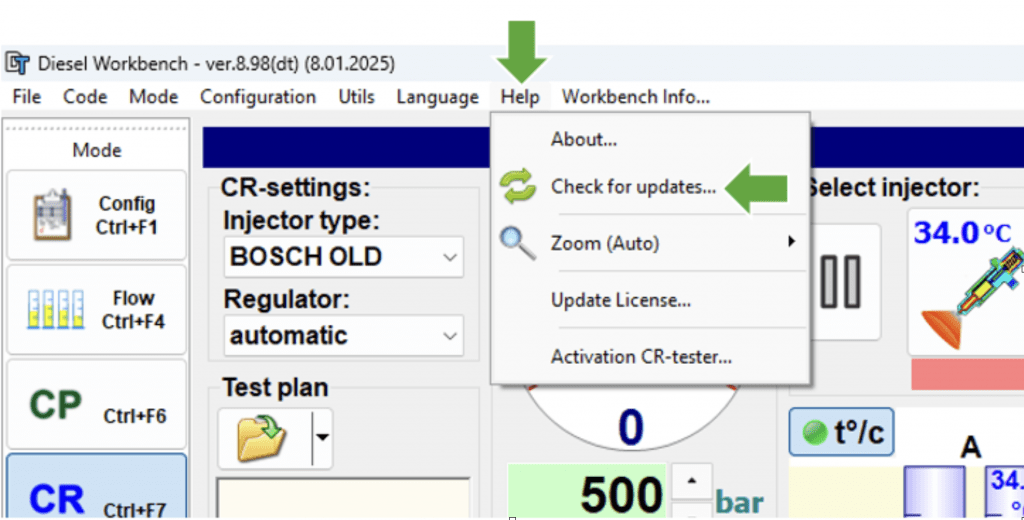
A window titled “(New) Version Information” will then open.
There you can see your current version, the latest available version, and a description of what has been changed.
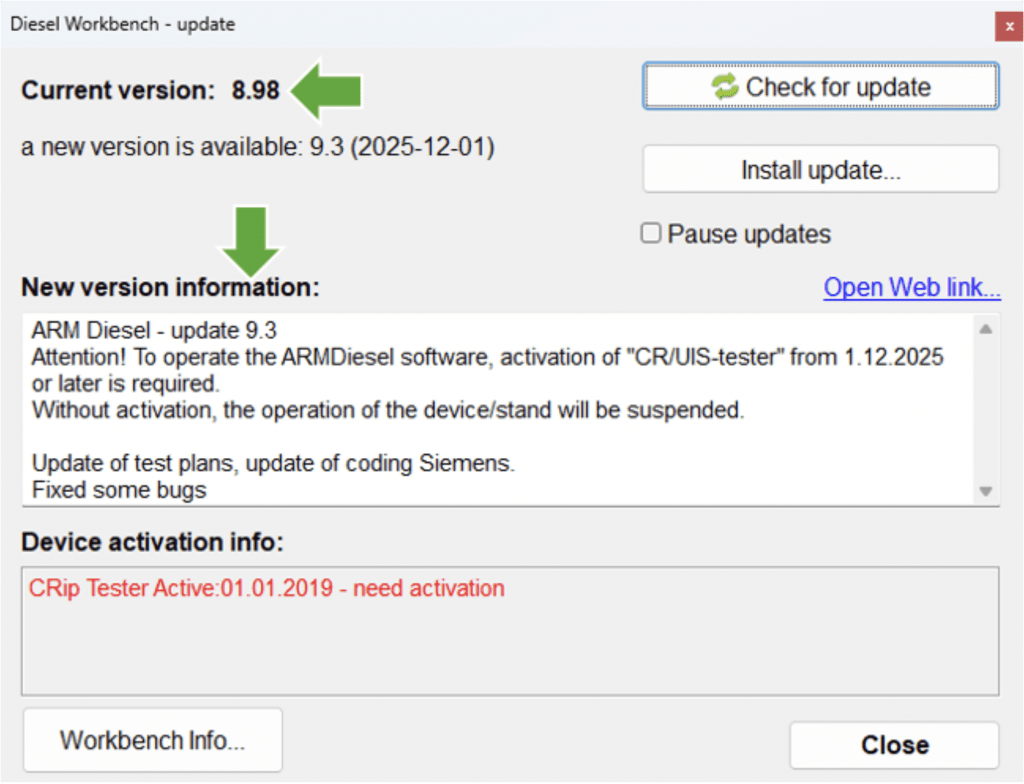
If you want to update the software version, click the “Install Update” button.
Installing a new version is not always free of charge.
Please check the information shown in the field “Device activation info”.
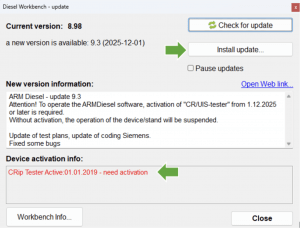
The update license is active for the first two years after purchasing the device. After this period, you can continue to use your last installed version with full functionality, unlimited and free of charge. To reactivate the update license, an activation fee is required. Once activated, you can update your ARM Diesel software for one year.
Please contact us to receive a price quotation.
Without an active update license, you cannot use the new version.
You can either contact us to pay the activation fee and receive an activation file, or you can restore (reinstall) your last version.
Depending on the operating system, this can usually be found in the following folder:
C:\Program Files (x86)\ARMDiesel\download